First-Party Apps
These are the only clients built and maintained by the team. Pick the one(s) that matches your device(s):
| App | Platform |
|---|---|
| Argosy Launcher | Android (AYN Thor, Retroid, etc.) |
| Grout | Linux (muOS, MinUI, NextUI, etc.) |
| Playnite Plugin | Windows (Playnite) |
For third-party clients, see the Community section in the README.
Argosy Launcher
Argosy Launcher is our first-party Android app: browse your library, download ROMs on the fly, and launch into RetroArch or your emulator of choice.
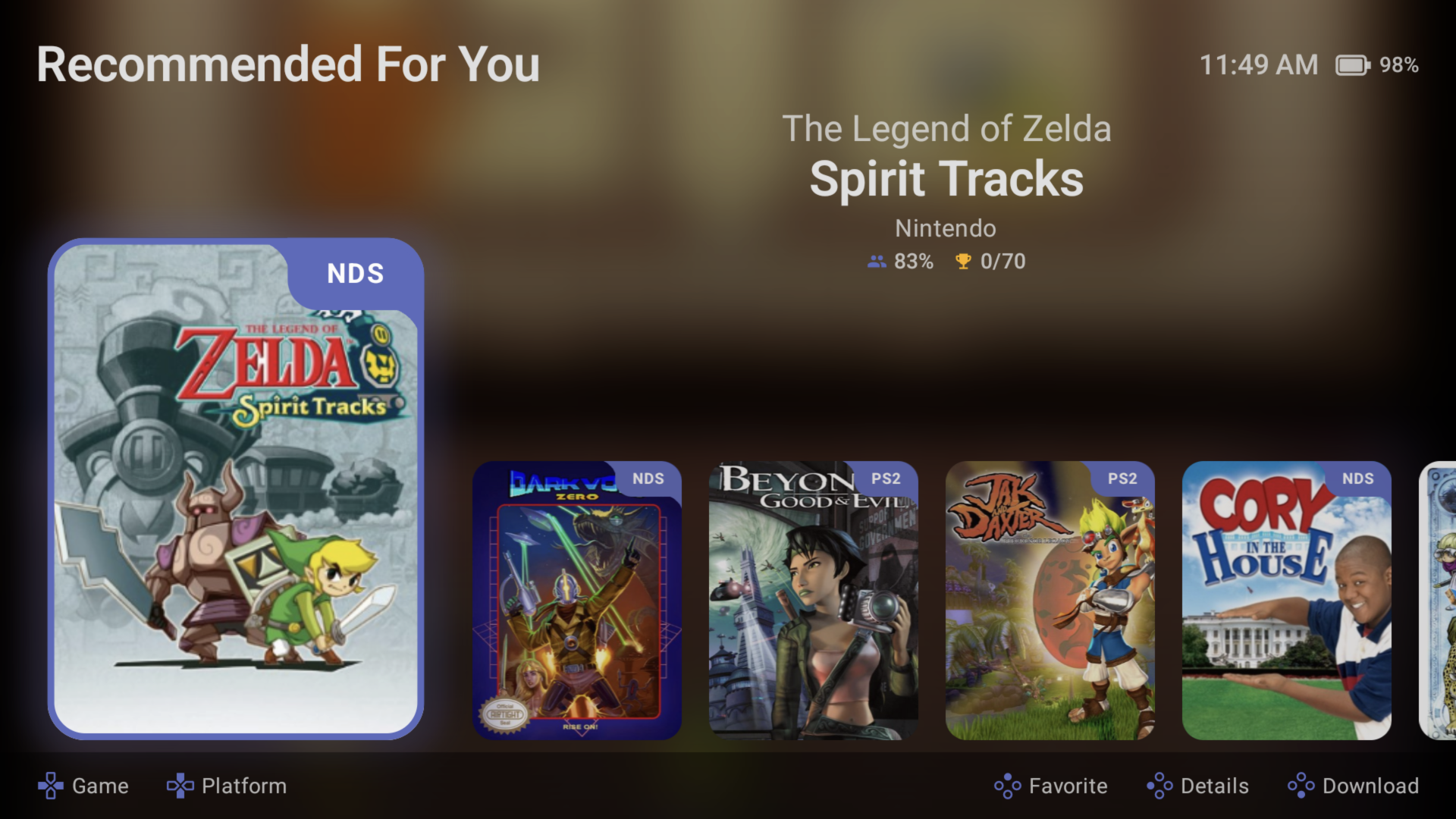
- Repo: rommapp/argosy-launcher
- Language: Kotlin
- License: GPL-3.0
- Platforms: Android
What it does
- Browses your full library from an Android device
- Handles authentication via Client API Tokens, paired over a short code so you don't type a 44-character string
- Downloads ROMs on demand to your device's storage
- Launches RetroArch (or another configured emulator) with the downloaded ROM
- Syncs saves/states back to RomM when you finish a session (optional)
Setup
See Getting Started in the Argosy repo for install and pairing instructions.
Grout
Grout is our first-party companion for Linux-based handhelds, specifically muOS and NextUI. Syncs ROMs, saves, and states bidirectionally with your instance over Wi-Fi.
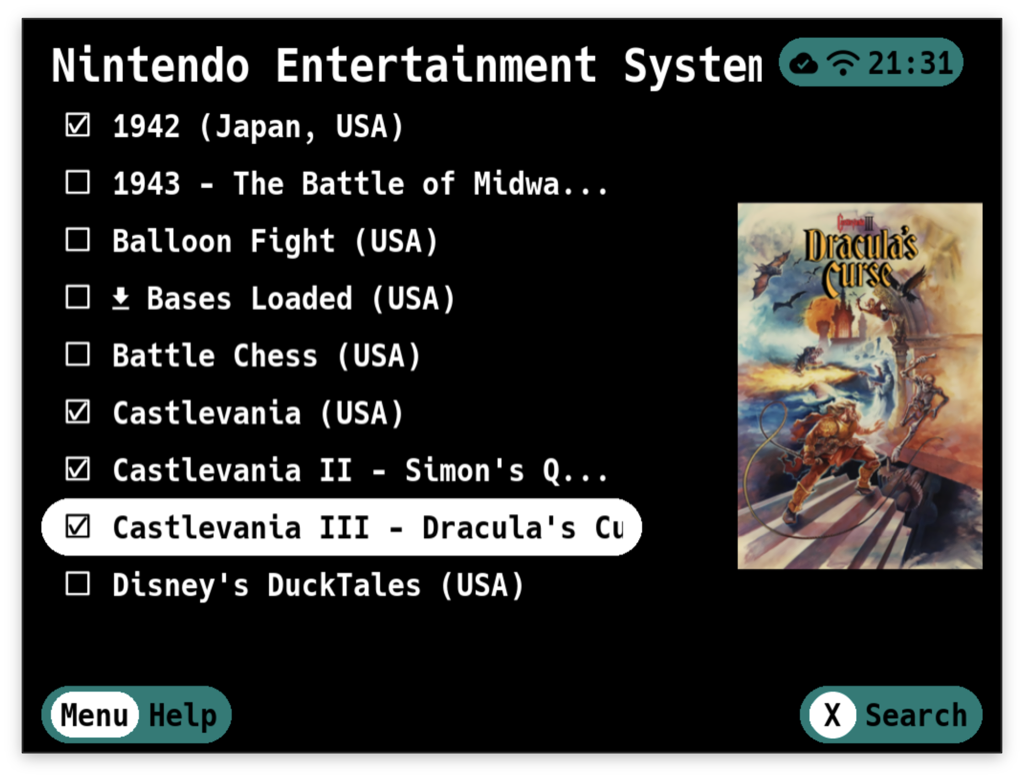
- Repo: rommapp/grout
- Language: Go
- License: MIT
- Platforms: muOS (Anbernic and similar ARM handhelds), NextUI
What it does
- Connects to your instance using a Client API Token
- Pulls ROMs from your instance to the handheld's SD card, organised into muOS/NextUI's expected folder layout
- Pushes saves and states back to your instance when you finish a session
- Schedules sync runs: on idle, on session end, or on a cron
- Works fully offline between syncs, so the handheld doesn't need your instance to play
Setup
See Getting Started in the Grout docs for install and sync configuration instructions.
Playnite Plugin
![romm[playnite] logo](../../resources/romm/integrations/playnite.svg)
Playnite is a unified, open-source game library manager for Windows: one place to launch Steam, Epic, GOG, RetroArch, and emulated games. This plugin imports your library into Playnite, so your ROMs appear alongside your Steam games.
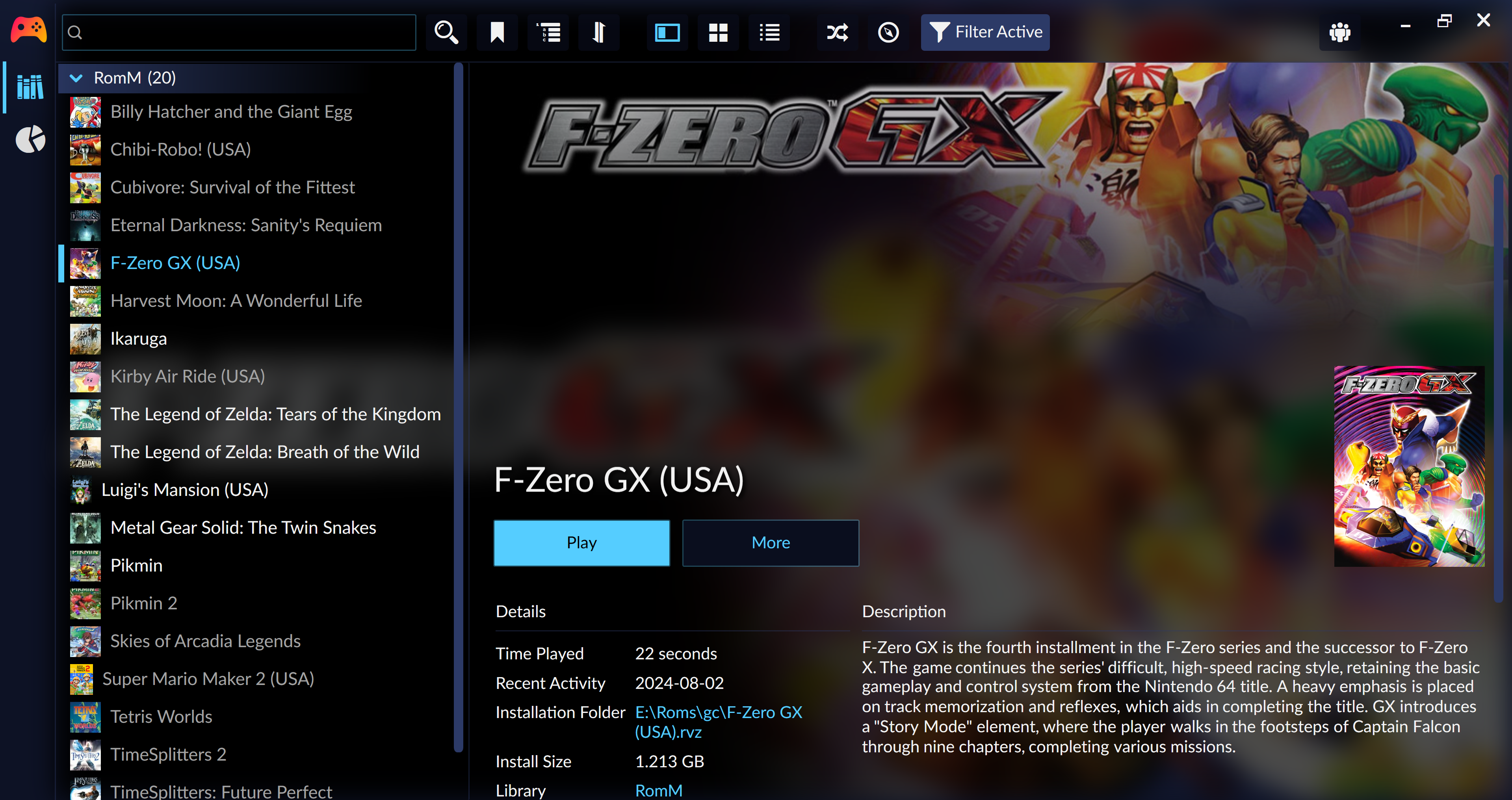
- Repo: rommapp/playnite-plugin
- Language: C#
- License: GPL-3.0
- Platforms: Windows (Playnite)
What it does
- Queries the API to pull your library metadata
- Creates Playnite library entries for every game
- Downloads a ROM on demand when you click Install in Playnite
- Launches via your configured emulator (using Playnite's existing emulator config)
Setup
Install the plugin
Install through any of these methods:
- Direct launch: open
playnite://playnite/installaddon/RomM_9700aa21-447d-41b4-a989-acd38f407d9fin your browser - In-app: go to Menu → Add-ons → Browse → Libraries, search for RomM, and select Install
- Add-ons website: download it from the Playnite add-ons portal
- Manual: download the
.pextfile from the releases page and drag it onto Playnite
Configure an emulator
You need at least one emulator installed and configured in Playnite before the plugin can launch anything, so add one under Menu → Library → Configure Emulators → Add emulator if you haven't already.
Connect to your instance
Open Menu → Library → Configure Integrations → RomM and enter:
- Host URL, including the protocol and without a trailing slash, for example
https://romm.example.com - Your username and password
Passwords are stored in plaintext in Playnite, so use a separate account with a read-only permission group rather than your main credentials.
Map emulator paths
For each platform you want to import, add a mapping with these fields:
- Emulator: a built-in or custom emulator
- Emulator Profile: the matching profile for that emulator
- Platform: the console or platform to map
- Destination Path: where downloaded ROMs are stored, for example
C:\roms\gc - Auto-extract: whether to automatically extract compressed files
Import your library
Select Menu → Library → Import RomM library. Every game matching your emulator path mappings is imported into Playnite, downloaded to its destination path on demand, and launched through the configured emulator.
See also
- Client API Tokens: the auth + pairing flow some of these clients use
- Community section in the README: third-party clients